Complete browser infrastructure

Real Browsers.A Complete Platform.

Build web scraping and automation on a platform that brings every layer together: up-to-date browsers, the right proxy for each target, authentic hardware signals, and human-like interactions. Connect with Playwright or Puppeteer, then watch and replay every session.

  • Up-to-date browsers
  • Domain-based proxy routing
  • System-level interactions
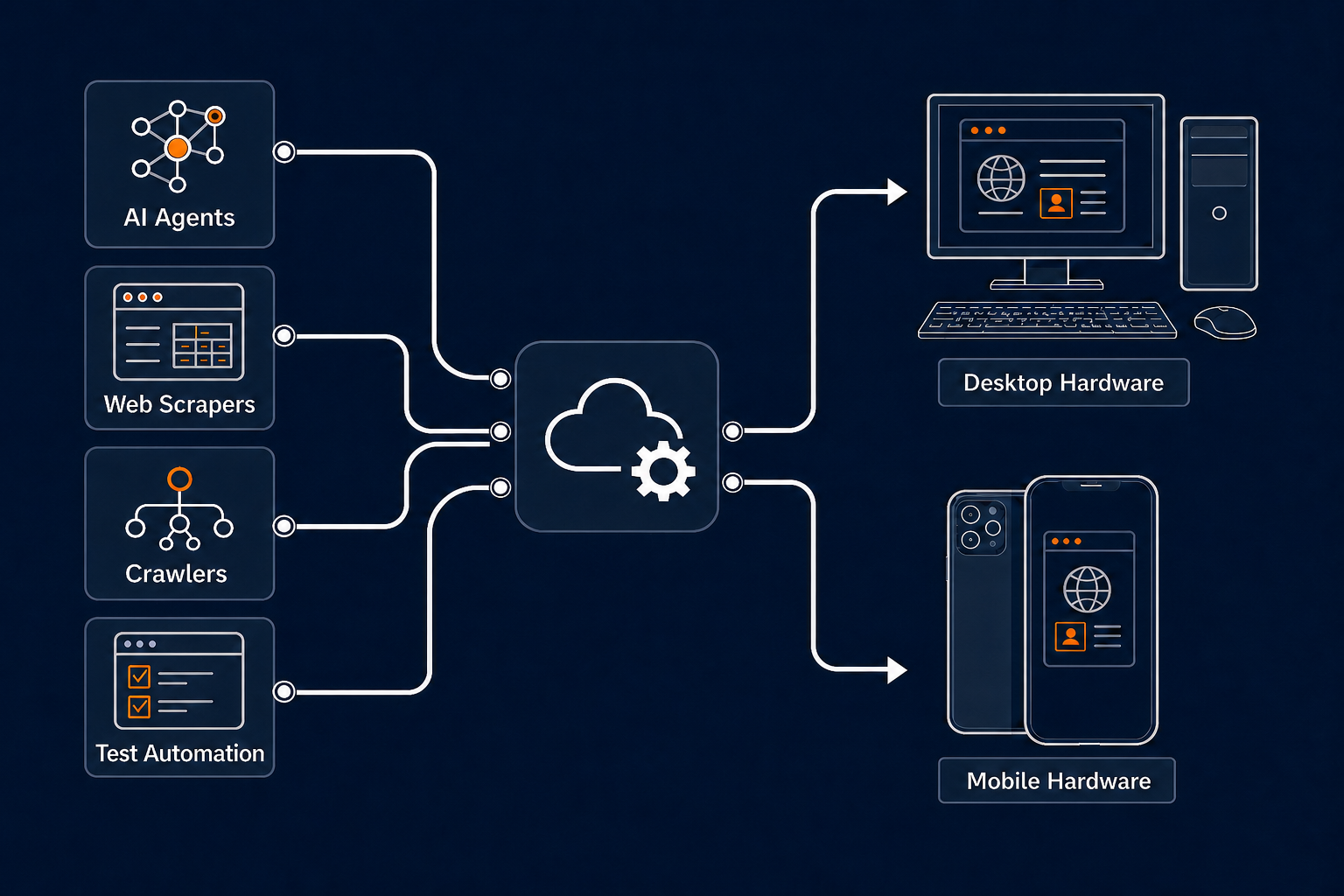
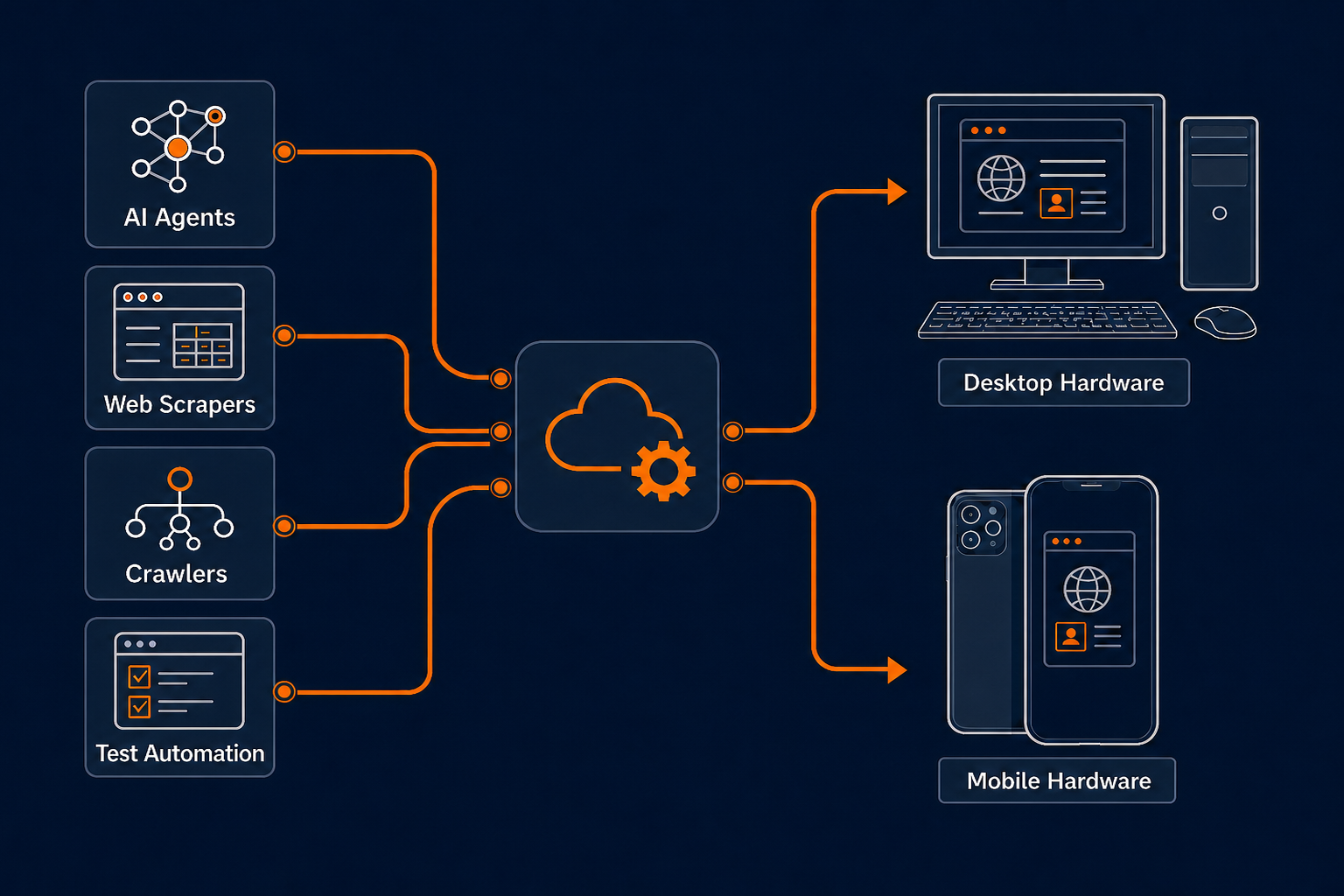
AI agents, web scrapers, crawlers, and test automation connecting through Cloud Dev Tools to browsers on consumer desktop and mobile hardware

Real browsersCurrent browser versions and native handshakes

Intelligent routingDatacenter, residential, and mobile proxies

Authentic device signalsConsumer CPUs, real RAM, and native GPUs

Natural interactionsMouse and keyboard input at the system level

Every layer, working together

Five layers. One comprehensive offering.

Websites evaluate the whole session. Explore how we address every layer underneath your code.

TLS & protocol fingerprints

Regular browsers. Native handshakes.

Our handshake parameters match regular browsers because we use regular browsers. We keep them up to date, so your workflows are not tied to older browser binaries bundled with automation libraries.

Current browsers · Native handshakes
Network & IP reputation

The right proxy for each target.

Choose from datacenter, residential, and mobile proxies. The API’s domain-based routing keyword helps automatically select the appropriate proxy for the website you want to reach.

Datacenter · Residential · Mobile

Browser & device fingerprints

Real device signals, down to the GPU.

Every browser runs on real consumer hardware and reports its actual CPU and RAM values in JavaScript. Every device has a GPU to handle WebGL challenges through native hardware rendering.

Consumer CPU · Real RAM · Native GPU

Automation detection

A firewall for automation leaks.

Methods in libraries like Puppeteer can leak objects that web application firewalls detect. Our own firewall sits between Puppeteer and the browser to prevent those leaks.

Puppeteer → CDT firewall → Browser

Behavior & interaction cadence

Input that follows the human path.

All mouse and keyboard events execute at the system level, through the same input path as a real mouse and keyboard. Movements and keystrokes mimic human behavior.

System-level mouse · System-level keyboard

Drop-in browser access

Keep your code. Change the browser underneath.

Connect through the protocols your team already uses. Your automation stays familiar while browser updates, proxy routing, device signals, and interaction handling work together underneath.

  1. 1
    Choose a device profileDesktop Chrome or a physical mobile device.
  2. 2
    Connect with your API keyUse Playwright or Puppeteer over a browser endpoint.
  3. 3
    Run and observeWatch a clear live session and review higher-quality recordings.
connect.js
import { chromium } from 'playwright';

// Connect to a GPU-backed desktop browser
const browser = await chromium.connectOverCDP(
  'wss://api.clouddev.tools/v1/browser?device=desktop&token=YOUR_API_KEY'
);

const page = await browser.newPage();
await page.goto('https://example.com');
import puppeteer from 'puppeteer-core';

// Connect to a physical mobile browser
const browser = await puppeteer.connect({
  browserWSEndpoint:
    'wss://api.clouddev.tools/v1/browser?device=mobile&token=YOUR_API_KEY'
});

const page = await browser.newPage();
await page.goto('https://example.com');

One browser platform

From first run to replay, it’s all here.

Build, run, observe, and review browser workflows in one place, with live control, searchable logs, and session recordings.

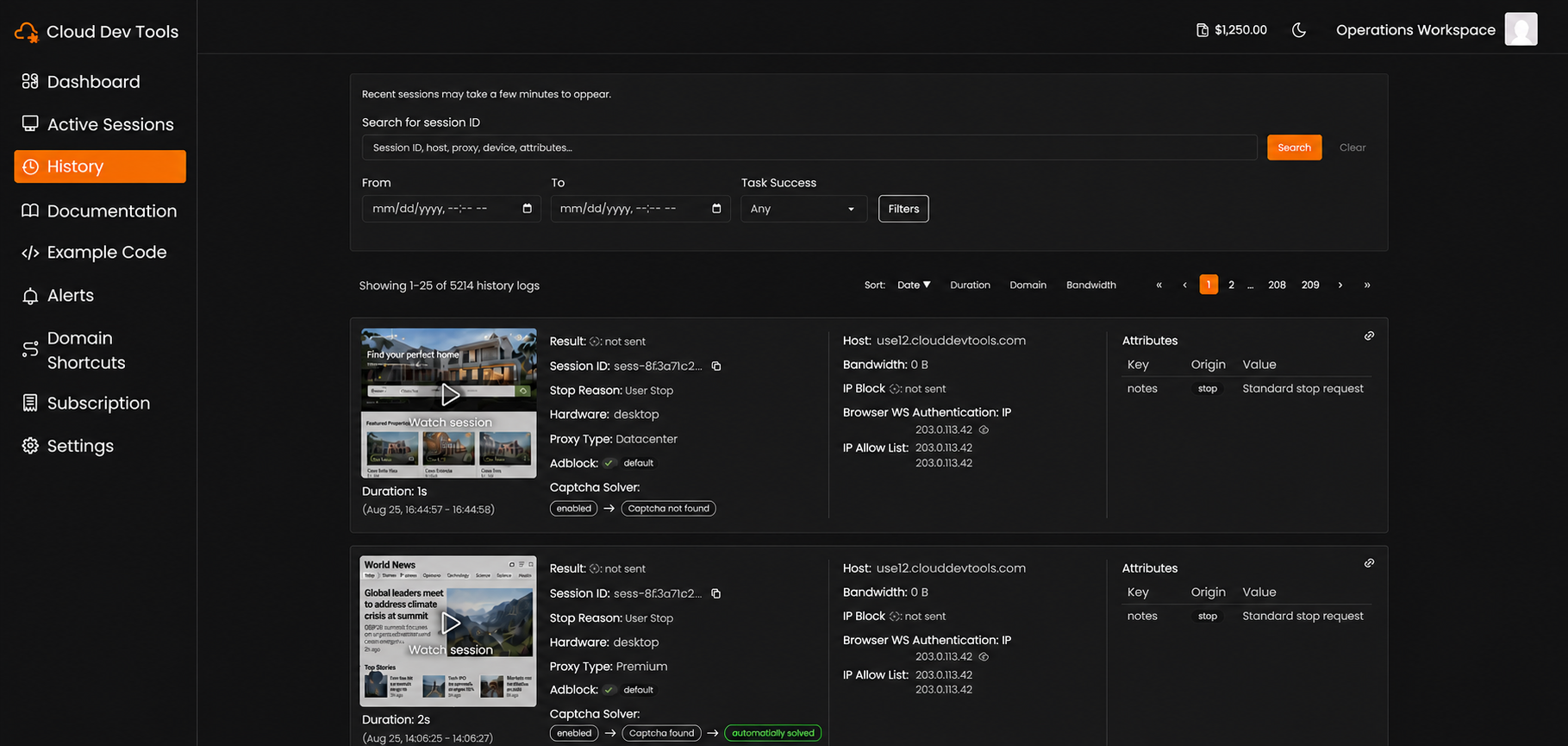
Cloud Dev Tools session history showing searchable session logs, browser recordings, proxy details, and CAPTCHA solver status
Search, inspect, and replay every browser run.

Real browsers. Real devices.

Run desktop browsers on consumer hardware and mobile workflows on physical devices.

Route by destination.

Use the API’s domain-based routing keyword to help automatically select the appropriate proxy for your target website.

Flexible proxy support.

Access datacenter, residential, and mobile proxies, with city-level targeting or the option to bring your own proxy.

Code without the setup.

Write and run tests in supported languages from the portal—no local IDE or environment configuration required.

See sessions as they run.

Open a live view so people and AI agents can follow an active browser session in real time.

Find the full session story.

Search past runs, inspect detailed logs, and replay recordings from one history view.

AI-assisted CAPTCHA solving.

Use locally run AI models to help resolve difficult CAPTCHA challenges during a session.

The complete approach

Every layer plays a part.

A browser session presents a handshake, a network identity, a device fingerprint, and an interaction pattern. Our platform brings these pieces together in one managed offering.

Detection layerCommon scraping problemCloud Dev Tools solution
TLS & protocol fingerprintsHandshake parameters that differ from regular browsersUp-to-date regular browsers with native handshake parameters
Network & IP reputationA proxy type that does not fit the target websiteDatacenter, residential, and mobile proxies with domain-based routing
Browser & device fingerprintsCPU, RAM, or graphics signals that do not match a real deviceActual consumer CPU and RAM values, plus native GPU rendering
Automation detectionLeaked automation objects detectable by a WAFOur firewall between Puppeteer and the browser prevents object leaks
Behavior & interaction cadenceMouse movements and keystrokes that look automatedSystem-level input with human-like movements and keystrokes

Results vary by website, network path, browser configuration, and workload. Cloud Dev Tools does not guarantee access to third-party websites.

Built for browser-heavy work

Give every workflow a real browser.

AI Agents

Give agents a responsive browser for multi-step research and web actions without operating a browser fleet yourself.

Explore AI Agents

Web Scraping

Collect dynamic data with current browsers, domain-based proxy routing, authentic device signals, and human-like interactions.

Explore Web Scraping

Automation

Run authenticated, visual, or interaction-heavy tasks through the Playwright and Puppeteer code you already maintain.

Explore Automation

Testing

Exercise real browsing flows on desktop and mobile hardware while keeping clear live views and session recordings.

Explore Testing

Common questions

Built differently, by design.

How the browser, network, device, and interaction layers work together.

What is browser as a service?

It lets your application connect to a remotely managed browser instead of launching Chrome on your own infrastructure. Cloud Dev Tools provides the browser endpoint and operates the underlying consumer hardware fleet.

Do I need to rewrite my Playwright or Puppeteer code?

No major rewrite is expected. You connect to a remote browser endpoint rather than launching a local browser, then keep using the same familiar automation APIs.

How do you keep browser fingerprints current?

We run regular browsers and keep them up to date. Their TLS and protocol handshake parameters come from the browser itself, rather than a separate implementation or an older bundled browser binary.

How does domain-based proxy routing work?

Use the API’s domain-based routing keyword to specify your target website. It helps automatically select an appropriate proxy from our datacenter, residential, and mobile options.

How do you handle automation leaks and interaction patterns?

Our firewall sits between Puppeteer and the browser to prevent detectable object leaks. Mouse and keyboard events execute at the system level, with movements and keystrokes that mimic human behavior.

Why does a native GPU matter?

Modern pages use the GPU for composition, video, WebGL, canvas, and other visual work. Native graphics prevent that work from consuming the CPU and provide hardware signals closer to a normal browsing device.

Will consumer hardware eliminate every CAPTCHA or block?

No. Access decisions depend on many factors, including IP reputation, behavior, account state, and website policy. Physical hardware can provide more natural device signals and reduce one source of bot-detection friction, but it is not a bypass guarantee.

Are mobile sessions emulated?

No. Mobile profiles run on physical mobile devices in the managed fleet rather than desktop browser emulation.

A better foundation

Bring every layer of your browser workflow together.