Research across live pages
Visit sources, follow links, and read JavaScript-rendered content. Let your agent gather current information through browser actions instead of relying on static page downloads.
AI Agents
Give your agent a real browser to research, navigate, and act on the web. Connect your own agent through Playwright or Puppeteer while Cloud Dev Tools handles the browser, hardware, network, and interaction layers underneath.
Built for AI Agents
Keep your model and orchestration logic. Give them a browser that can render the page, interact with it, and show you what happened.
Visit sources, follow links, and read JavaScript-rendered content. Let your agent gather current information through browser actions instead of relying on static page downloads.
Build agents that navigate dashboards, fill forms, and check results. Your application controls the task and any authentication needed for the sites it uses.
Choose consumer desktop hardware or a physical mobile device to explore how a page behaves in the environment your agent needs to use.
The Cloud Dev Tools difference
Browser access is more than an endpoint. These capabilities work together underneath your code, across AI agents, scraping, automation, and testing.
Automation libraries can leak objects that a website’s web application firewall detects. Our own firewall sits between libraries such as Puppeteer and Playwright and the browser to prevent those detectable object leaks.
Your library → CDT firewall → Browser
Every browser instance has a native GPU for hardware rendering. WebGL, canvas, video, and page composition use real graphics hardware, with actual consumer CPU and RAM values reported in JavaScript.
Consumer CPU · Real RAM · Native GPU
Run desktop browsers on consumer hardware or choose physical mobile devices. Mobile sessions use an actual mobile browser environment rather than desktop emulation with a smaller viewport.
Real desktop hardware · Physical mobile
Choose datacenter, residential, or mobile proxies, city-level targeting, or bring your own proxy. The API’s domain-based routing keyword helps automatically select an appropriate proxy for your target website.
Domain-based routing · Flexible proxies
We run regular browsers and keep them up to date. TLS and protocol handshake parameters come from the browser itself, without tying your workflow to an older browser binary bundled with an automation library.
Up-to-date browsers · Native protocols
Mouse and keyboard events execute at the system level, through the same input path as real peripherals. Movements and keystrokes mimic human behavior instead of relying only on synthetic page events.
System-level mouse · System-level keyboard
From code to browser
Use Playwright or Puppeteer with a managed browser endpoint. Start with the connection details in the API documentation.
Read the integration documentationSelect a desktop or physical mobile profile and the network route appropriate for the destination.
Use a remote Playwright or Puppeteer connection. Keep the model, prompts, and decision loop in your application.
Follow the live browser view, then use searchable logs and recordings to investigate where an agent’s run went off track.
From development to investigation
The browser is only half the workflow. Develop in the portal, follow active sessions, and return to the evidence when something needs a closer look.
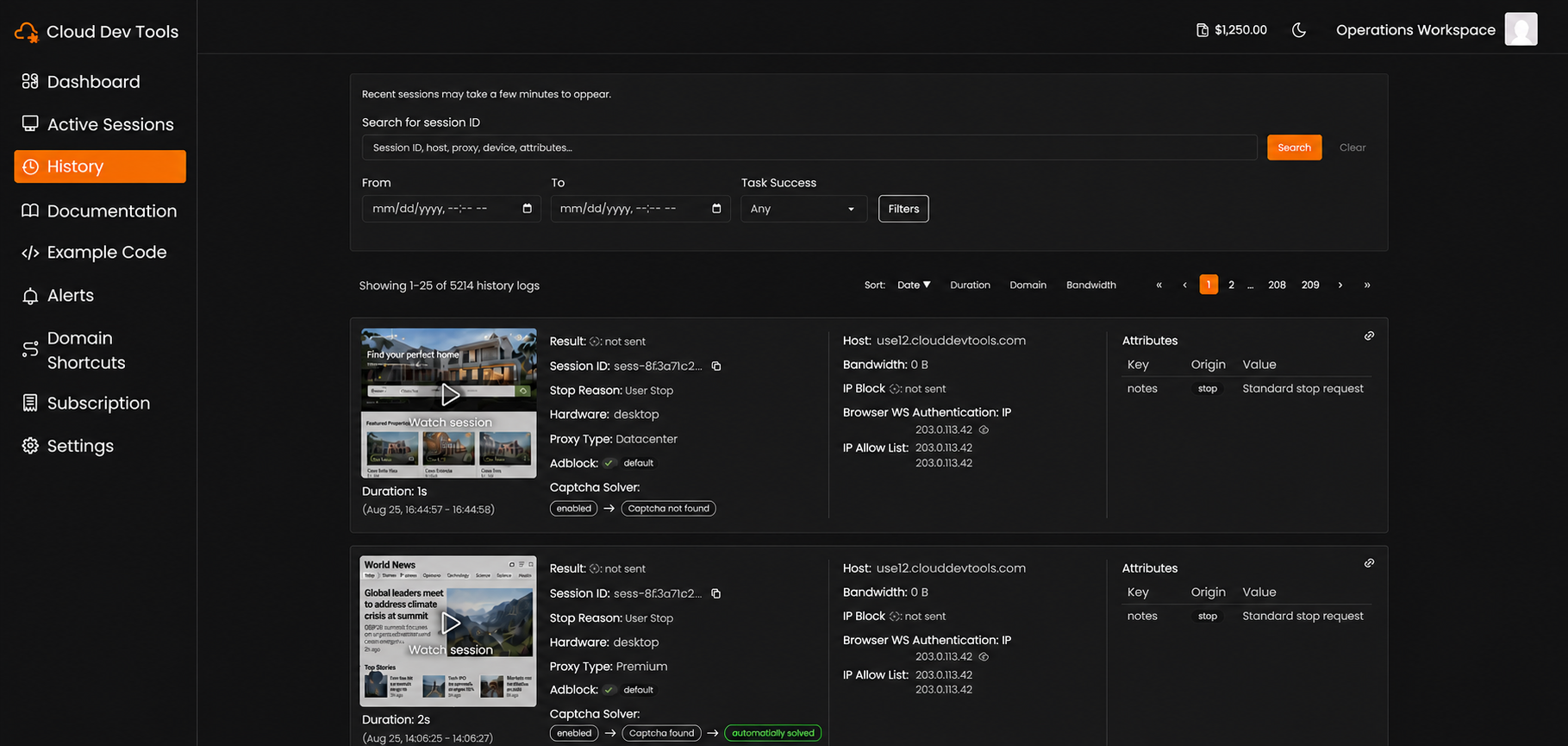
Let people and AI agents follow the browser as a workflow runs.
Find past sessions, inspect detailed logs, and review clear recordings.
Write and run tests in supported languages without local IDE or environment setup.
Use local AI models to help resolve difficult CAPTCHA challenges during a session.
Common questions
You bring your agent and its orchestration. Cloud Dev Tools supplies browser infrastructure accessible through Playwright and Puppeteer, with live viewing and session history.
Yes. Live session views let people and AI agents follow an active browser session. Searchable logs and recordings help you review its actions afterward.
Yes. Mobile profiles run on physical mobile devices, rather than a desktop browser resized to a mobile viewport.
A complete browser foundation